Patient
You use Afia to see a clinician, book a visit, and follow your health. That is the promise on the public landing.
The store home shows your day, your visits, your results, and your profile.
I want to see my day
You open the patient home. You see what is next and what needs a look.

I want to see a clinician
You open the patient side of the app when you need care. You search for a clinician by name, specialty, or hospital, then you book from that list.
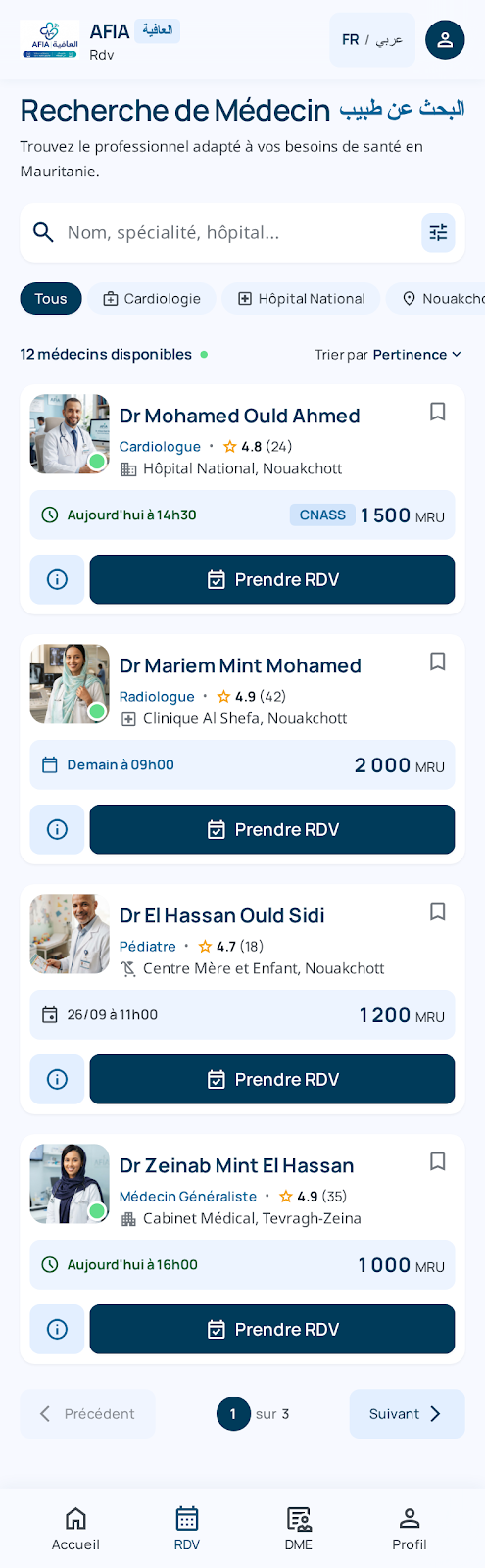
I want to book a visit
You pick a time with a clinician and you confirm that slot. You can come back later to see what you booked.
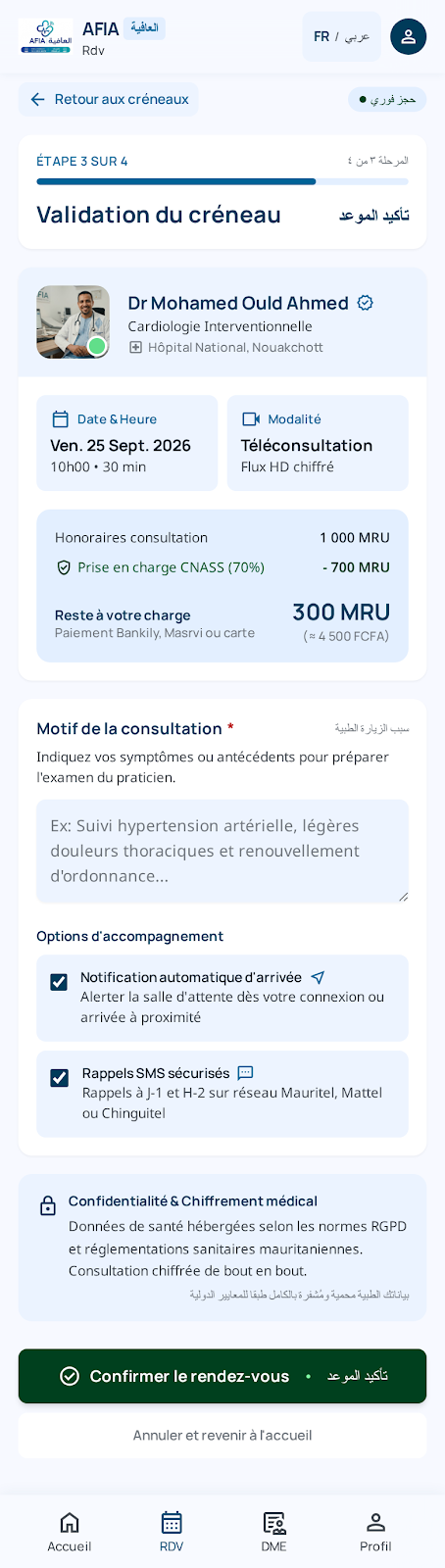
I want to see what I booked
You open the list of visits. You see what is coming and what is done.
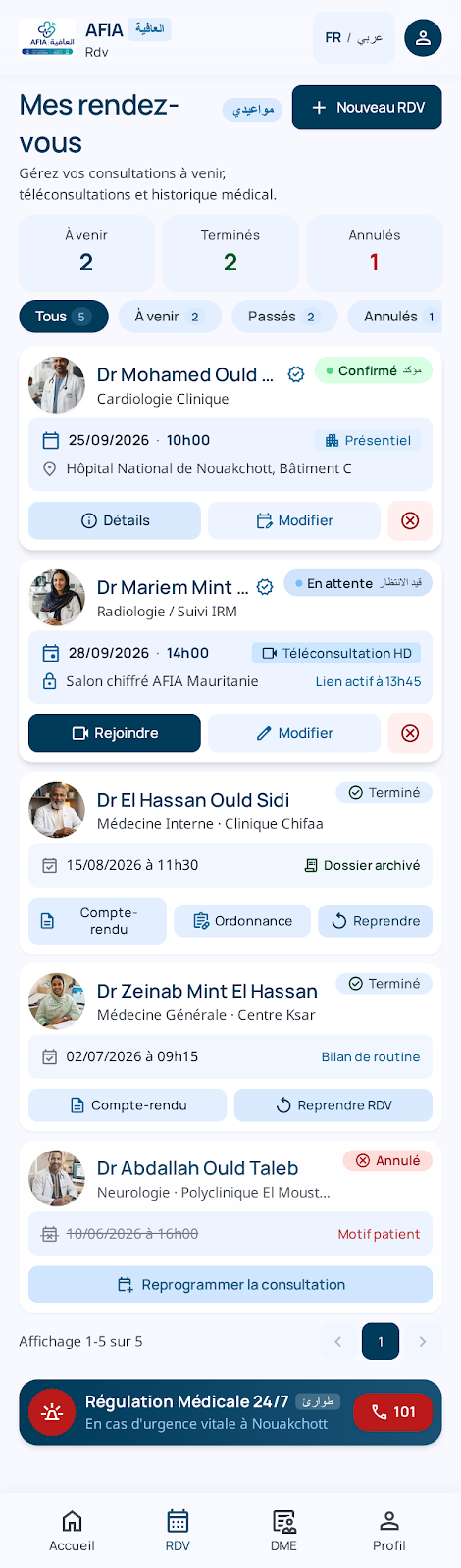
I want my details to stay with me
You keep a patient profile: your name, how to reach you, and your alerts.
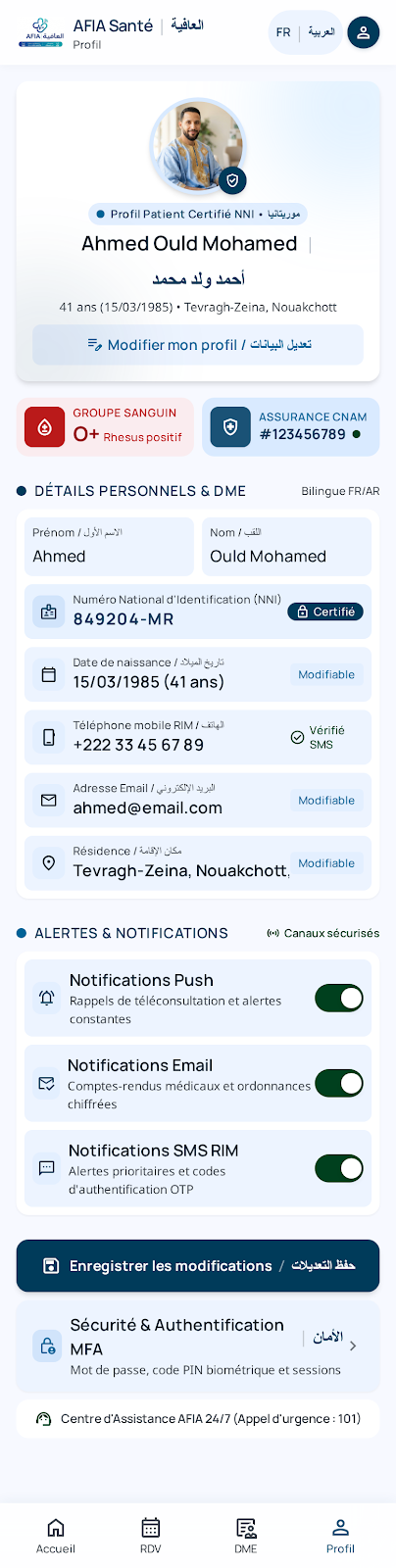
The store keeps your name, contact details, and alerts. It does not ask for the identity number on this picture.
I want to read my own results
You open results that belong to you. Imaging reports and lab reports show up here after the clinic publishes them. You read them. You do not write them.
